The overall goal of this procedure is to obtain high resolution 3D stacks containing hematopoietic stem and progenitor cells, and to monitor them over time through multi-point time lapse imaging. This is accomplished by first labeling the hematopoietic stem and progenitor cells or HSCs with a lipophilic dye. The HSCs are then injected into a recipient mouse.
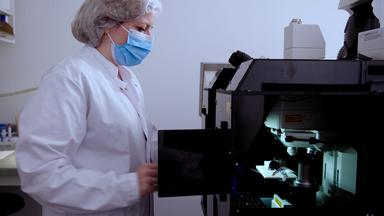
The mouse is prepared for microscopy using a customized headpiece and specimen holder for stable animal positioning. Next, the high resolution stacks of hematopoietic stem and progenitor cell niches are obtained and time-lapse imaging of multiple bone marrow locations containing HS PCs is performed ultimately intra vital confocal and two photon microscopy is used to show the localization and movement of HSCs in the bone marrow space. The main advantage of this technique over existing methods such as immunofluorescence on bone marrow sections is that we are able to capture information on a four dimensional scale, three dimensions plus time.
The Implications of this technique extend towards therapy of hematological diseases because it helps understanding where we need to direct hematopoietic stem cells within the bone marrow to guarantee their correct functioning. We first had this idea for this method when we realized how crucial it was first to be able to follow HS PC's over time. This method helps us to answer any questions we have over the stem cell niche field where we want to know where do the stem cells reside and how do they behave over time.
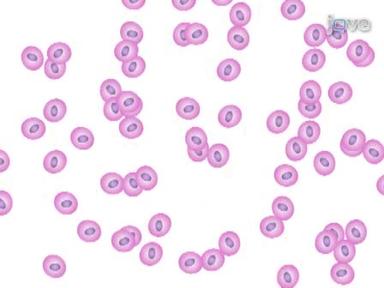
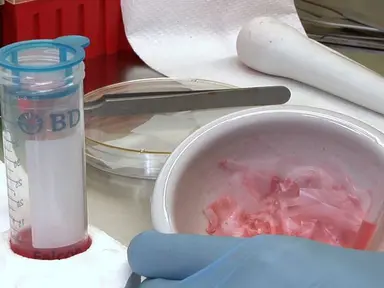
To begin harvest the hematopoietic stem and progenitor cells as demonstrated by this laboratory in a previous geo video and referenced in the text protocol. Next, add the lipophilic dye DID to the cell suspension at a final concentration of five micromolar. Vortex the suspension immediately to ensure the dye doesn't precipitate out of solution and fail to label the cells.
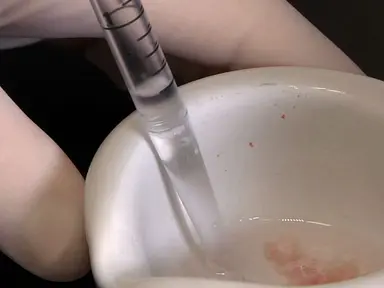
Incubate the cells for 10 minutes at 37 degrees Celsius to wash the cells. First spin at 500 times G for five minutes and decant the liquid. Then resuspend the cells in 200 microliters of PBS and collect into an insulin syringe.
An insulin syringe is recommended over a conventional syringe because it has no needle dead space. Allowing administration of the entire cell suspension to the mouse to inject cells into a lethally I radiated mouse via tail vein injection. First place the mouse in a warm chamber.
Once the tail vein appears, vasodilated, move the mouse into the restrainer. Carefully slide the needle into the tail vein. Inject the cells into the vein.
No resistance to injection should be encountered. Leave the mouse overnight. In order to allow the cells to migrate to the bone marrow spaces, anesthetize the mouse and monitor the onset of deep anesthesia via the petal reflex.
Swab the top of the scalp with 70%ethanol on a tissue. Being careful not to get any ethanol in the eyes of the mouse. To expose the calvarium area to be imaged, make a small incision at the back of the head between the ears by lifting the skin up with the forceps while holding the skin up.
Slide the scissors under the skin and gently cut along the outside of the desired imaging area. Wipe the exposed bone with a sterile cotton bud moistened with sterile PBS to keep the bone moist. This avoids excessive drying and scarring, which may affect imaging quality.
Next, mix an adequate amount of dental cement in a whey boat until it becomes a paste. Quickly apply it to the bottom surface of the autoclave headpiece that will attach to the skull. Before the cement sets, place the headpiece onto the skull of the mouse, making sure not to get any dental cement on the imaging area and wait for it to set.
Apply a small amount of intra hydrogel, which keeps the skull moist, being careful not to disturb the cement as it dries. Then attach the headpiece to the holder and secure it in place. Using the screw ensuring that the grooves fit within the holder notches.
Remove the hydrogel with sterile cotton buds before transferring to the microscope. Next, insert the holder into the microscope stage and position the heating mat under the mouse. Insert the rectal thermometer probe and secure everything in place on the stage with adhesive tape.
Place a small drop of ophthalmic ointment on the eyes of the mouse to ensure they do not dry out while under anesthetic. The mouse must not be left unattended at any time during the imaging process while under anesthesia. To focus on the skull via the eye pieces.
First, fill the calvarium imaging window with purified sterile water using a water dipping lens. Lower it so that it touches the water droplet. Focus on the top of the skull using the microscope eye pieces.
Position the imaging area on the central suture and move towards the rear of the head to find the coronal suture. As a starting position, place the software into a mode for capturing XY images as well as a three DZ stack. Set the imaging speed to 400 hertz and the resolution to 512 by 512 pixels.
Set the software so that multiple channels are captured and set the collection method to change settings between stacks or between frames. Set up three independent capture settings. Switching off the laser illumination at the end of the acquisition of each stack.
Then set up the first sequential scan for the two photon second harmonic generation bone signal. Open the shutter for the multi photon laser and ensure multi photon laser gain and offset are correctly set up. Also, ensure the laser power is 12.5 to 25%and the laser is switched on.
Select an appropriate PMT as the only detector and change the color to white. Repeat the channel setup procedure for combined autofluorescence and DID under the second setting. Scan utilizing two appropriate p mts.
Change the channel color to green for the autofluorescence and red for the DID. Finally, set up the third and final scan for GFP detection. Set the laser power of the 488 nanometer laser line to around 15%Select an appropriate photo multiplier tube or PMT as the only active detector and change its pseudo color to green.
Activate a live imaging mode to begin a preview scan of the selected channel and adjust detector gain and offset for optimal exposure. Repeat this for each scan in the sequential window and save the settings of these multi-channel scans for easy reuse. Then activate multi-position capture referred to as mark and find in this software and reset the coordinate points.
Next, scan the bone imaging area starting from the intersection between the central and coronal suture. Scan the depth of the bone marrow area using both autofluorescence and DID with a composite view. When a cell is detected, mark this as a new coordinate position by clicking on the add new position icon on the left hand side of the mark and window.
When the current field of view has been examined, move the stage the distance of one field of view. Repeat this process for each field of view. Gradually working around the whole imaging window to the left of the central suture, moving towards the nose of the mouse.
Once the central suture bifurcation is in sight, move to the right side of the suture and repeat the procedure. Scanning the left side in the reverse direction. Mark the coordinates of any new cells of interest using the mark and find tool.
To review the points, set the top and bottom of a Zs stack around each cell for each position. For each point, focus up and down and set the top and bottom Z positions for three DZ stack capture. Update the individual point in the mark and find, set the Zack interval to five micrometers and the averaging for each sequential scan channel to an appropriate quality.
Acquire a high quality reference stack for each point of interest by starting the entire scan procedure. Once finished with the high quality scan, activate a time-lapse setting for the capture and the time-lapse settings. Set the time interval to five minutes and the overall runtime to the desired length.
Apply these settings to the overall scan. This example shows how acquisition of more than three points can be performed By modifying these settings, the scan time can be reduced to allow a five minute time-lapse interval by reducing the number of scans used for averaging limiting the resolution to 512 by 512 pixels. Converting the scanning to bidirectional and or increasing the scan speed to 600 hertz or more commence imaging as before by clicking the start button and the demonstrated software.
Once imaging is complete, perform mouse euthanasia as detailed in the text protocol. The custom made high precision mouse holder, including a calvarium imaging window, allows prolonged imaging of labeled HS PCs injected into lethally irradiated recipient mice shown here are 2D slices of single cell resolution 3D stacks of HSPC containing bone marrow areas of approximately 90 to 120 micrometer thickness signal from collagen. Bone is shown in white DID labeled cells are shown in red.
Autofluorescent cells are shown in yellow and osteoblastic cells are shown in green. Shown here is a 40 time lapse movie of the HS PCs identified showing A DID labeled HSC in red, migrating in the proximity of osteoblastic cells in green Once mastered. This technique should be able to be performed in approximately an hour for the surgery and the initial imaging followed by the adequate time for the time-lapse imaging.
Once you have watched this video, you should be quite confident in being able to set up imaging of the mouse calver and and looking at multiple HS PCs over time.