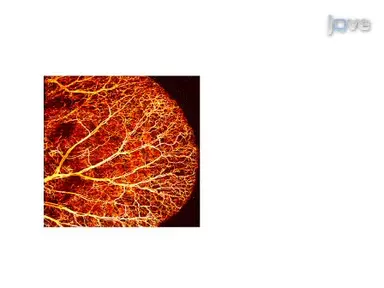
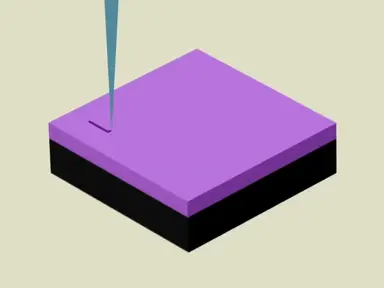
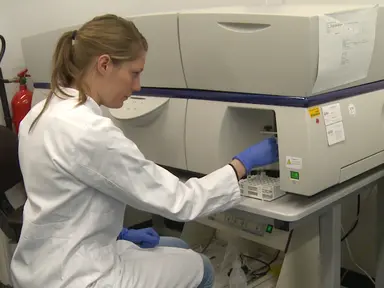
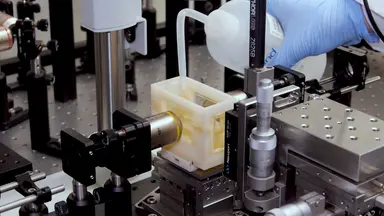
Our research aims at customizing a light-sheet imaging system to investigate the myocardial structures of the intact rodent heart at the cellular level. We have developed a workflow to explore the intact myocardium with isotropic resolution at the micron level, from neonatal to adult rodent hearts. Our study fills a gap in investigating the intricate myocardial microstructures, such as trabeculation inside the intact ventricles with high spatial resolution.
This imaging strategy provides an entry point to assess microstructure without physical slicing, leading to an enhanced understanding of cardiac development and remodeling. We will concentrate on exploring the structural changes of the myocardium in response to cardiac injury and remodeling. To begin, place an agarose-embedded murine heart in a solution of 20%methanol for one hour.
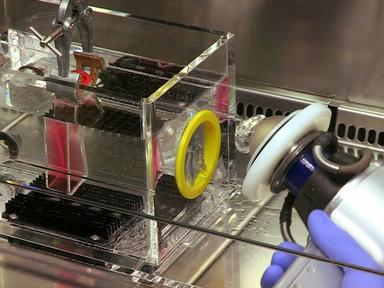
Sequentially, transfer the heart to increasing concentrations of methanol to dehydrate it. Place the solutions with the heart on a mixer at 60 hertz during dehydration. Transfer the dehydrated heart into a fresh 100%methanol solution.
After replacing the solution with fresh 100%methanol, place the heart at four degrees Celsius for 10 minutes. Now, aspirate the solution. Then add 200 milliliters of 5%hydrogen peroxide in methanol to bleach the heart.
Incubate the heart in the solution overnight at four degrees Celsius. The next day, transfer the sample into 100%methanol. After incubation, transfer it into a solution containing 66%dichloromethane and 33%methanol.
The heart should sink to the bottom of the vial. Place the sample on a mixer for three hours to ensure complete dilapidation of the heart. Finally, incubate the sample in dibenzoyl ether for refractive index matching.
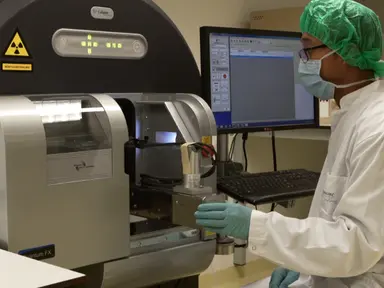
The tissue of the P1 mouse heart was rendered transparent in four days, while an eight week old mouse was rendered transparent in seven days. To begin, launch the image capture software of the microscope. Calculate the number of tiles required to cover the entire mouse heart.
Capture the images of the heart starting from tile one. Sequentially, capture images of the remaining tiles with a 10%overlap between consecutive tiles, until the whole heart is covered. Now, open the BigStitcher plugin and import all necessary tiles through the Image File Directory.
Save the dataset as an HDF5 file. Use the Move Tile by Regular Grid function to organize the tiles, then select the pattern that is used for moving the heart, and select a 10%overlap between each tile. Stitch the tiles using the Stitching Wizard option.
Create a TIFF file by using Image Fusion to export the stitched data. For the Multi-View Deconvolution of the sample, use fluorescent beads for image registration of Multi-View Reconstruction along the heart. Scan the heart assembly across the detection axis to capture sequential images of the mouse heart from the illuminated section.
Rotate the mouse heart by 60 degrees along the Y axis to capture subsequent stacks from multiple angles. Then open the BigStitcher plugin and import all images through the Image File Directory. Save the data set as an HDF5 file.
Choose, Detect Interest Points, and manually select beads of interest for registration. Select the Affine transformation model for registration and assign to PSF to all views. Click on Multi-View Deconvolution and choose the type of iteration as Efficient Bayesian.
Define number of iterations as 10 and execute it. Finally, click on Image Fusion to export a TIFF file. The Multi-View Deconvolution Method achieved near isotropic resolution after 15 hours of computation.
ETL-based Axillary-Swept Light-Sheet Microscopy was able to minimize the out-of-focus background and enhance the image contrast. The integration of stitching with Axially-Swept Light-Sheet Microscopy allowed for the coverage of an entire eight week old mouse heart with uniform resolution. To begin, install an Electric Turntable Lens or ETL, on the fourier plane of a cylindrical lens.
Open the housing of the ETL driver and remove the cover. Plug the ETL driver into the USB port of the workstation. Then connect the driver to the ETL using a HIROSE cable.
Next, install the lens driver controller software. Change the operation mode and the software to Analog to control the ETL with a trigger generated from the DAC card. Switch the Capture mode to External on the software of the sCMOS camera.
To synchronize the system, define exposure time based on the acceptable signal-to-background ratio. Generate both square and triangle triggers for synchronization in the Lab View Program, Trigger Generator.vi. Scan the laser beam along the X axis and active pixels along the Y axis to generate a 2D image.
The brighter and sharper beads along the diagonal in the image indicate the precise synchronization. Proceed to image the heart.