Nowadays, targeted therapies for non-small cell lung cancer require rapid detection of multiple genomic alterations, so it's crucial for an optimal care, as thoracic biopsy are often small and contain few tumor cells. So, we present an ultra-fast next-generation sequencing workflow that is implemented for routine non-small cell lung cancer diagnosis in the pathology laboratory. Currently, targeted NGS using different panel sizes, and one-gene sequencing testing using RT-PCR, digital PCR, fluorescence in situ hybridization and immunohistochemistry are the different methods used to detect molecular alterations.
However, most of these methods can be time and tissue material consuming, leading to delayed diagnosis, and a risk of tissue exertion. The challenge lies in efficiently detecting multiple molecular alterations while saving materials and ensuring a speedy diagnosis. The workflow provides thoracic oncologist with comprehensive tumor information, including histological diagnosis, PD-L1 status, and targetable genomic aberrations.
It enables rapid treatment decision making for optimal therapy selection. Our protocol identify all key molecular targets in thoracic oncology based on ESMO, NCCN and ASCO recommendations, delivers timely results even with small samples sizes, and limited DNA/RNA. And so the automated.
The system reduced technician workload with just three hours of wet lab manipulation. We aim to focus on the rapid and comprehensive genomic profiling characterizations of tumors by developing a large NGS panel for tissue and plasma samples in the future. However, increase the strategies to detect numerous molecular alterations in small sample sizes and cytological samples using large panels are urgently needed.
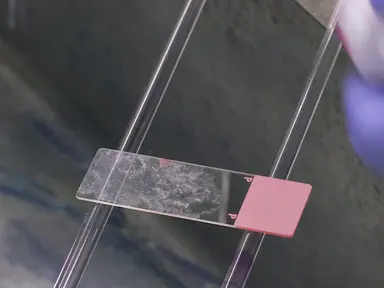
To begin, cut the formal and fixed paraffin embedded or FFPEDNA and RNA samples. Turn on the automated purification or API instrument, and sign in with the username and password. Next, in the Integrated Genomic Viewer Software under samples, click Create Samples.
Enter the sample name and select the application category. After entering the sample details, click on Save. Then, select Runs.
Click on Sample to Result, and enter the run name before clicking Next. Select the assay followed by a sample of interest, and click next. After selecting each sample, click Assign, then check the Ellucian parameters and save the run.
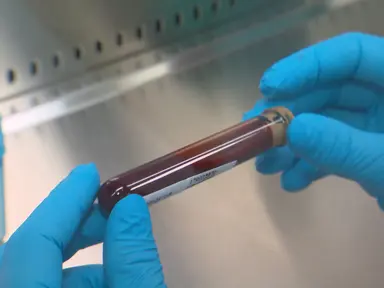
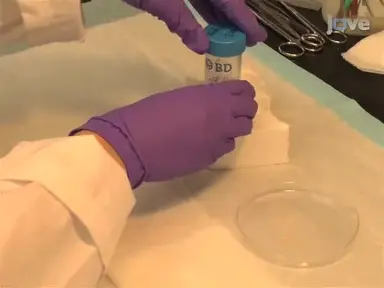
Place FFPE tissue samples in sample processing tubes. Centrifuge the tube at 2000 G for one minute. Add the Protease Digest Master Mix prepared from a nucleic acid purification kit into the tube.
Incubate the sample at 60 degrees Celsius for one hour, followed by incubating it at 90 degrees Celsius for one hour. After cooling the samples, lift the inner tube of the sample processing tube and lock it by turning left. Centrifuge the inner tube at 2000 G for 10 minutes, then unlock the tube by turning right and separating it from the other tube.
Discard the inner tube and place the outer tube on ice until loading on the API. Prepare a DNase Digestion Master Mix, and load in prefilled FFPEDNA and RNA purification plate two. Load the prepared samples in FFPEDNA and RNA purification plate one.
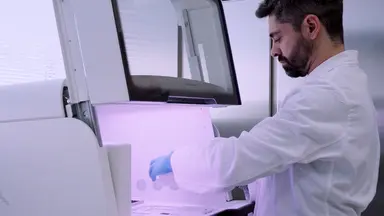
On the API screen, click Run. Then select the run plan and click Next. Follow the onscreen instructions to load the required consumables and reagents for the purification run.
Once all the reagents are loaded, click Next. Close the API door, and click start. At the end of the run, click Unload, and immediately remove the 48 well nucleic acid archive plate containing the purified DNA and RNA.
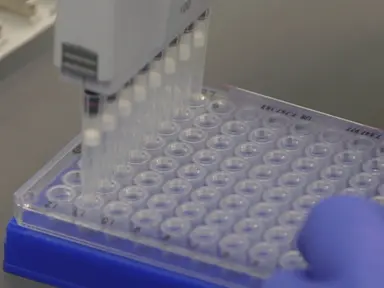
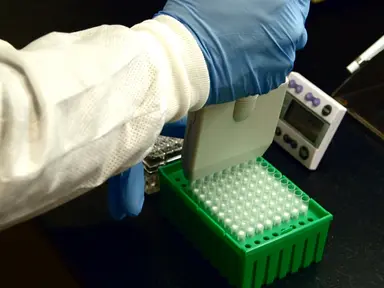
After the sample purification is over, seal the plate and store it at minus 80 degrees Celsius. To begin, thaw all the sequencing reagents at room temperature for 30 minutes, turn on the sequencer and sign into the system. Seal the 96 well plate containing purified FFPEDNA and RNA samples with a sheet of adhesive PCR plate foil and load it into the sequencer.
According to the sequencer's instructions, install all consumables in the respective deck. Inspect tube three of strip 2-HD for any precipitations. If the tube contains any precipitates, dislodge them by flicking the tube, or gently vortexing the strip.
Turn strips one and three upside down and back three to four times to remove beads. Hold the strips at one end with the strip seal oriented upward, then swing the strip downward using a quick centrifugal arm movement and finish by giving a sharp flick of the wrist. Centrifuge the strips at 300 G for 15 seconds.
After closing the system, install the sequencing reagents bay doors, and close the door. To begin, open the Integrated Genomic Viewer software. In the Results menu, click Sample Results.
Then click on the name of the sample of interest from the sample name column to view sequencing results. To review molecular coverage analysis plugin results, in the top right, click Download Files. Next in the run summary, click the Run Report tab to view assay metrics and run report.
To view the SNV and INDEL result, click the Variants tab, then click SNVs and INDELs. Click Edit Filters, and select No filter. Next, click the Variants tab, then Fusions to view fusion results and RNA Exon variants.
In the top right click visualization and RNA Exon Variant. Then review the RNA Exon Variants plot. Click the Variants tab, then select Fusions to view RNA Exon Tile Fusion imbalance.
In the top right click Visualization, then RNA Exon Tile Fusion Imbalance, and review the RNA Exon Tile Fusion imbalance plots. In the Variants tab, click CNVs to display CNV results. Finally, generate a variant report by clicking the link to download the PDF.
This study represents the molecular analysis performed in 259 patients with NS-NSCLC, including various biopsy types and surgical specimens. The driver mutant genes and gene fusions were also observed in DNA/RNA analysis. The sensitivity of the method for detecting single nucleotide variants, insertions and deletions, copy number variants, and fusions, was high ranging from 91.67%to 100%